

Affiliate disclosure: This article contains affiliate links. If you buy through one of these links, AI Reviews may earn a commission at no extra cost to you. This does not affect our editorial assessment.
What Robofy WhatsApp AI is for
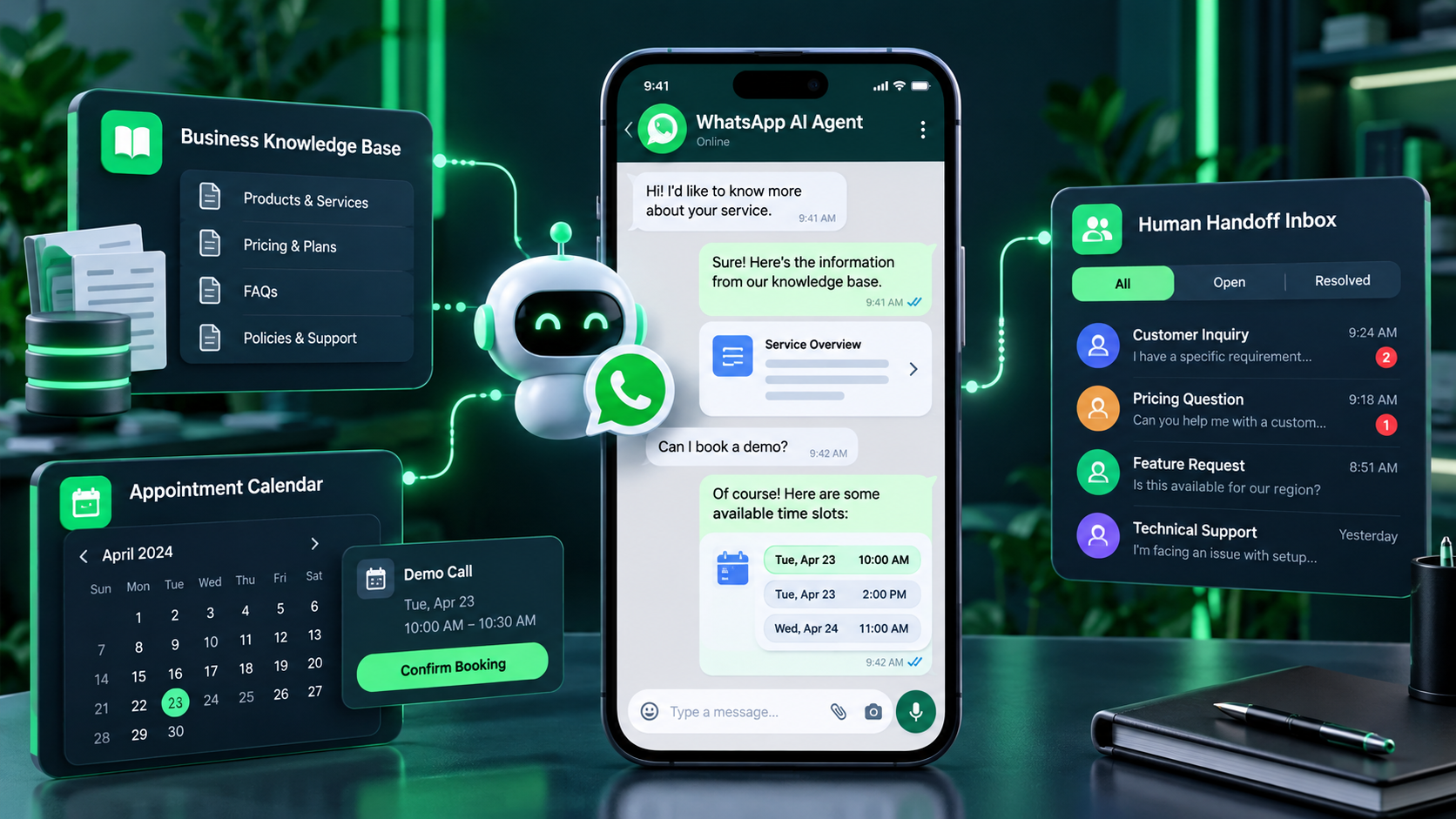
Robofy’s WhatsApp AI agent is most useful when it is built as a defined customer-service or lead-routing workflow, not as a generic auto-reply. Robofy says its platform supports WhatsApp Business API conversations, website agents, knowledge training, human handoff, chat inboxes and integrations. These capabilities should be confirmed in the buyer’s current account and plan.
Use one narrowly scoped launch: answers to approved FAQs, a booking request, first-line service triage, or lead qualification. Define the opening message, approved source material, questions that matter, a destination for the outcome, and the human owner. Do not automate questions involving payment, medical or legal advice, account security, complaints, emergencies, or binding commitments.
Knowledge and channel controls
Business information must be current. Train only on maintained services, policies, availability guidance, and escalation rules. Remove old prices and conflicting documents. Include wording for uncertainty and make it easy for the agent to say that a team member will confirm. A polite but incorrect WhatsApp reply can create more work than a delayed human response.
WhatsApp requires channel-specific operational checks. Confirm who owns the number, how consent is handled, which message templates apply, what is allowed outside the active service window, and who sees a handoff. Robofy’s official material distinguishes AI-credit use from separate Meta messaging costs; current Meta rules and checkout terms remain the controlling source.
Handoff, cost and testing
Human handoff is a product requirement. Set explicit triggers, notify a named owner, and carry the transcript so customers do not need to repeat themselves. Test a normal FAQ, an ambiguous question, an angry message, a request for a human, an unknown answer, and a failed integration. Measure completed bookings, qualified leads, answer accuracy, handoff quality, and customer satisfaction rather than automated-message volume.
Robofy currently lists Free, Starter, Pro, and Enterprise plans. Its public pricing lists paid starting prices of $19, $99, and $399 per month, with credits covering text, training, and voice use. It illustrates text replies at about 60 credits, but model and training choices affect capacity. Treat current plan pages as authoritative because limits and terms can change.
Privacy and agency operations
Privacy should make the script shorter, not longer. Ask only for information necessary to route or complete the next step; do not solicit passwords, payment details, identity documents, or health data in chat. Explain the next action and ensure staff understand retention and access practices. Automation does not transfer responsibility for customer data or customer promises.
Agencies should document every deployment: approved sources, client owner, escalation contacts, supported use cases, template approvals, and monitoring cadence. Review every conversation during launch, then sample routinely. Repeated handoffs are useful evidence: they may show an unsupported question, a gap in source material, or a process that should remain human-led.
Buying decision
Robofy can be a fit for teams with a real WhatsApp demand, clean knowledge sources, and a named person responsible for escalations. It is not a replacement for an undocumented support process. For features, pricing context and limitations, read our Robofy AI review and buyer guide.
Before buying, check the workflow, number ownership, account setup, essential integrations, credit budget, handoff coverage, consent wording and monitoring plan. Start with a limited pilot, correct the failures you observe, and expand only when the conversation is accurate and the team can act quickly on escalations.
A careful deployment also needs a fallback for outages and staff absence. Keep a visible human contact route, make clear when a request is only being collected rather than completed, and audit the workflow after changes to services or policies. The objective is a fast, useful first response with reliable escalation, not an illusion that every customer issue has been resolved automatically.
Implementation checklist
Before launch, assign one operational owner and one backup. Document the questions the agent may answer, the source used for each answer, the time limit for staff follow-up, and the direct route for urgent help. Review test transcripts with the staff who will receive handoffs. This makes the agent part of an accountable service process rather than an isolated marketing experiment.
Build a compact test library before you connect real traffic. Include questions about pricing, hours, availability, a request that lacks enough detail, a complaint, a typo, and a request that should be declined. Record the correct outcome for each. Retest after changing sources, prompts, integrations, or team rules. A tested workflow is safer and easier to improve than an agent that is allowed to improvise.
Be precise about what a customer should expect next. If the agent gathers information for a booking request, it should say that confirmation comes from the business. If it captures a lead, it should state when and how the team will respond. If it transfers a conversation, it should identify the channel or timeframe. Clear expectations reduce repeat messages and prevent automated wording from being misunderstood as a promise.
Use conversation reviews to improve the wider customer experience. Repeated questions may reveal unclear service pages, missing pricing explanations, difficult booking steps, or language that customers misunderstand. Treat the agent as a listening point, not merely a way to deflect messages. The useful result is often a better process or page as well as a faster first answer.
For a small business, start with a single audience and a single destination. For an agency, deploy one client workflow before packaging an offer across many accounts. Scaling before the handoff, source maintenance, and reporting routines work reliably creates hidden support costs. A controlled pilot gives you evidence for the plan, credit allowance, and service level that are actually appropriate.
Review the current Robofy plan page and the relevant WhatsApp requirements immediately before payment or launch. Product capabilities, Meta rules, credit allocation, and billing can change. A written record of the choices made during the pilot helps the team explain its workflow, train new staff, and decide whether wider automation is justified.
Operational metrics should include elapsed time to a human reply, the percentage of conversations that reach the intended destination, and the number of corrections required after automation. These measures reveal whether the experience is genuinely helping customers. Do not use a reduction in staff messages alone as success; a customer whose request is ignored or misrouted is not a successful automation outcome.
Keep a simple change log for every training update, policy change, integration adjustment, and escalation rule. When a response is questioned, the team should be able to see which source and process applied at the time. This discipline supports reliable customer service and makes a future decision to expand, pause, or change the deployment based on evidence rather than assumptions.
Make the initial scope intentionally small and measurable. When the agent consistently answers approved questions, routes exceptions, and gives staff usable context, add the next workflow only after reviewing evidence from real conversations.
Ready to verify the current WhatsApp options? Visit Robofy AI’s current plans.
Use a defined escalation register for urgent requests, policy exceptions and unavailable staff. Review it with the team after the pilot so customers receive consistent next steps even during busy periods.
Maintain clear accountability for every source update, approved answer and integration change. This makes the WhatsApp workflow measurable, reviewable and safer to scale across new services.