

Affiliate disclosure: This article contains an affiliate link. If you sign up through it, we may earn a commission at no extra cost to you. This review is based on AITuber’s published features, pricing, and product documentation; plans and capabilities can change.
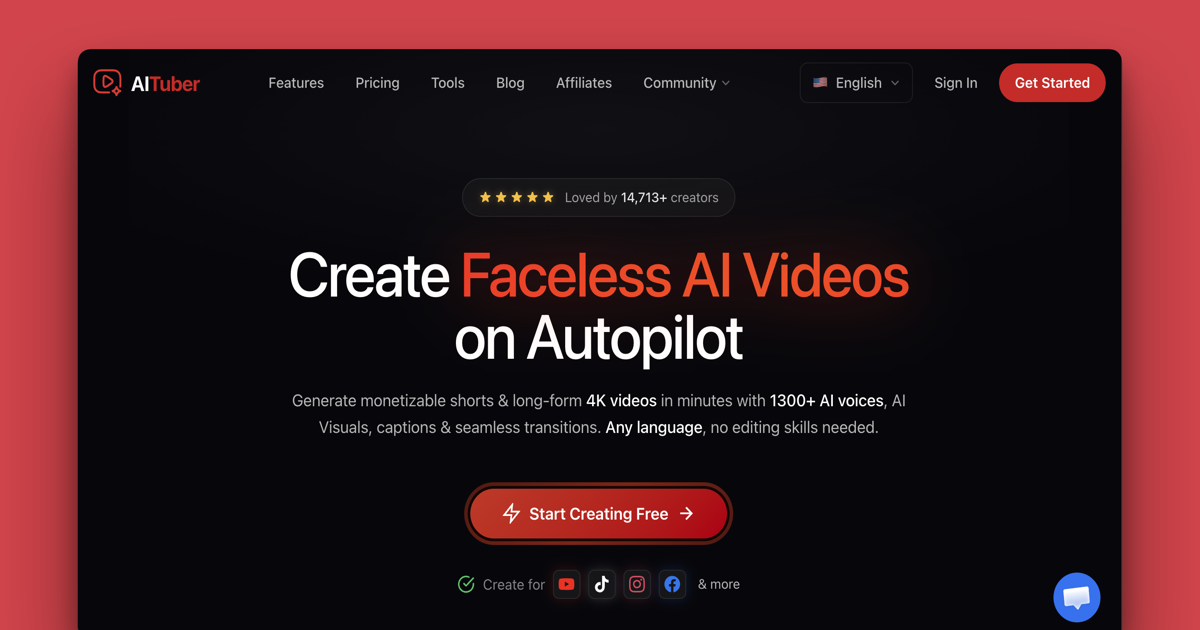
AITuber is an AI video creation platform designed for people who want to produce faceless videos without building every scene manually. It combines topic research, script generation, AI voices, visual creation, captions, music, and social publishing in one workflow. That makes it relevant to YouTube Shorts creators, niche channel owners, marketers, and small teams trying to publish video consistently.
AITuber review: the quick verdict
AITuber looks strongest when speed and repeatable production matter more than frame-by-frame control. Its main advantage is consolidation: instead of moving between a script writer, voice generator, stock library, caption tool, editor, and scheduler, creators can manage the process in one place. It supports short-form and long-form videos, multiple visual styles, 1,300+ voices, captions, background music, up to 4K export, and scheduled publishing.
It will not suit every creator. Editors who want precise manual control over pacing, motion graphics, color, and every cut may still prefer a traditional editor. Pricing also starts above many lightweight AI video tools, so the value depends on how frequently you publish and how much time the automated workflow replaces.
What is AITuber?
AITuber is a browser-based AI video generator focused on faceless content. You give the platform a topic or idea, choose a format and style, and let it help create the script, voiceover, visuals, captions, music, and final video. The product is positioned for both quick vertical clips and longer videos of up to 20 minutes.
The platform can also automate parts of channel management. Depending on the plan, it can generate and publish content to one or more channels on a schedule. Supported destinations include YouTube, TikTok, Instagram, Facebook, Threads, and X. Creators can still download the finished video when they prefer to publish manually.
How the AITuber workflow works
- Choose a video type. Start with a short, long-form video, music video, avatar video, or another available template.
- Enter a topic or use the idea finder. AITuber can help turn a subject or trending idea into a structured script.
- Select the presentation. Pick a voice, language, visual style, captions, and music that fit the audience.
- Review individual scenes. If one scene is weak, regenerate that scene instead of starting the complete video again.
- Export or publish. Download the result in up to 4K or connect social channels for scheduled publishing.
The features that matter most
1,300+ AI voices and voice cloning
AITuber lists more than 1,300 voices across over 140 languages. This is useful for creators serving international audiences or testing different narration styles. Voice cloning is also available from a short voice sample. As with any cloned voice, use only a voice you own or have permission to reproduce.
Multiple visual modes and styles
Videos can use AI images, AI-generated clips, stock footage, or avatars. The visual style library covers options such as cinematic, realistic, anime, watercolor, comic-book, and other niche-specific looks. This variety helps prevent every channel from looking identical, although the final quality will still depend on the prompt, source material, and chosen model.
Scene-level regeneration
The ability to redo one scene is one of the more practical features. AI-generated videos often contain a scene that does not match the script or visual direction. Replacing that scene without regenerating the entire project can save both time and credits.
Captions, music, and social publishing
AITuber provides word-synced captions, multiple caption styles, and a royalty-free music library. Users can upload their own music as well. Publishing integrations reduce the gap between creating a video and putting it in front of an audience, especially for creators managing a regular Shorts or social schedule.
API and AI-agent access
All paid plans list API and MCP access. This gives technical users a path to create videos programmatically or connect AITuber to compatible AI agents and automation workflows. Most individual creators will not need this on day one, but it can become valuable when production volume grows.
AITuber pricing explained
AITuber uses credits, with the main difference between plans being monthly credit allowance and the number of channels that can run on autopilot. At the time of this review, US monthly pricing starts at $39 for Creator, $69 for Pro, and $129 for Studio. Higher-volume Agency, Business, Scale, and Enterprise plans are also available. Annual billing is advertised with a 17% saving.
- Creator: $39/month. 2,500 credits, an estimate of about 71 thirty-second shorts, and one autopilot channel.
- Pro: $69/month. 5,000 credits, an estimate of about 142 thirty-second shorts, two autopilot channels, and team-member access.
- Studio: $129/month. 10,000 credits, an estimate of about 285 thirty-second shorts, four autopilot channels, and team-member access.
Those video estimates are based on 30-second shorts using AI images at roughly 35 credits each. Longer videos, AI-generated video clips, and higher-quality options consume more credits. Unused credits are stated to remain in the account rather than expiring, which makes irregular publishing less punishing.
AITuber also offers 100 free credits with no credit card required. That is the sensible starting point: generate a short sample in your own niche and judge the script, voice, visual consistency, and editing time before choosing a subscription.
Who should consider AITuber?
- Faceless YouTube channel owners who publish explanatory, list, story, or educational videos.
- Short-form creators who need captions, voices, and vertical visuals in one workflow.
- Marketers and agencies producing recurring social content for several channels.
- Creators publishing in more than one language.
- Technical teams that want video generation through an API or compatible AI agent.
Who may prefer another tool?
AITuber is less compelling for occasional users who only need one or two simple clips each month. A lightweight editor or pay-as-you-go tool may cost less. It is also not a complete replacement for a professional timeline editor when a project needs detailed animation, exact transitions, advanced audio work, or precise control over every frame.
Advantages and limitations
What stands out
- One workflow for ideas, scripts, visuals, voice, captions, music, and publishing.
- Short-form and long-form support.
- Large voice and language selection.
- Scene-level regeneration.
- 4K export and multi-platform publishing.
- Free credits without a card.
Points to consider
- The $39 starting price may be high for occasional creators.
- Video output estimates vary with length and visual model.
- AI scenes still require human review for accuracy and consistency.
- Autopublishing should be monitored rather than left unchecked.
- Traditional editors provide more granular creative control.
How to evaluate AITuber during the free test
Use the free credits on a topic you already understand. That makes it easier to spot factual gaps in the script and judge whether the visuals support the narration. Review the pronunciation of names, numbers, and technical terms. Check caption timing, music volume, scene continuity, and whether the opening seconds provide a clear hook.
Also measure the time you spend correcting the result. An AI video tool is valuable when it reduces production work while maintaining an acceptable quality level. If the generated draft still needs extensive rewriting and manual editing, a simpler tool paired with your current editor may be a better fit.
Is AITuber worth it?
AITuber can be worth considering for creators who publish frequently and want to centralize a fragmented video workflow. Its combination of idea generation, scripting, multilingual voices, varied visuals, scene-level corrections, captions, music, and distribution addresses most of the steps involved in a faceless channel.
The strongest case is not simply that it generates videos. The value is the reduction in tool switching and repetitive production work. The free-credit option makes the decision easier: create one realistic test project, compare the result with your current workflow, and subscribe only if the saved time justifies the monthly cost.
If you are comparing AI video options, read our MorphStudio AI review to see how a different video-generation workflow approaches the same market.
Frequently asked questions
Does AITuber have a free plan?
New users can start with 100 free credits, and the product page states that no credit card is required. The free credits are intended to let you create an initial short video before choosing a paid plan.
Can AITuber create long videos?
Yes. AITuber advertises support for long-form videos of up to 20 minutes as well as short vertical videos.
Can it publish directly to social platforms?
AITuber lists direct publishing for YouTube, TikTok, Instagram, Facebook, Threads, and X. The number of channels that can operate on autopilot depends on the subscription tier.
Do unused credits expire?
The current pricing page states that unused credits do not expire. Check the latest account terms before subscribing because product policies can change.
Does AITuber replace a video editor?
It can replace much of the routine workflow for template-driven and faceless content. A professional editor remains useful when you need precise timing, complex animation, detailed audio work, or complete manual control.
Pricing and features checked on September 29, 2026. Review the current AITuber pricing page before purchasing.
[…] focused specifically on faceless channel automation may also want to compare the workflow with our AITuber review. If your main need is presenter-style video from a still image, see the MorphStudio AI […]
[…] short social-video creative. If your priority is automated faceless-channel production, read our AITuber review for a more channel-oriented perspective. If you need a workflow focused on turning material into […]
[…] and technically oriented users who value the vendor’s listed API and MCP access. Read our full AITuber review for the channel-automation and credit […]